
Using Three AI Tools by Role Cut My Token Waste in Half
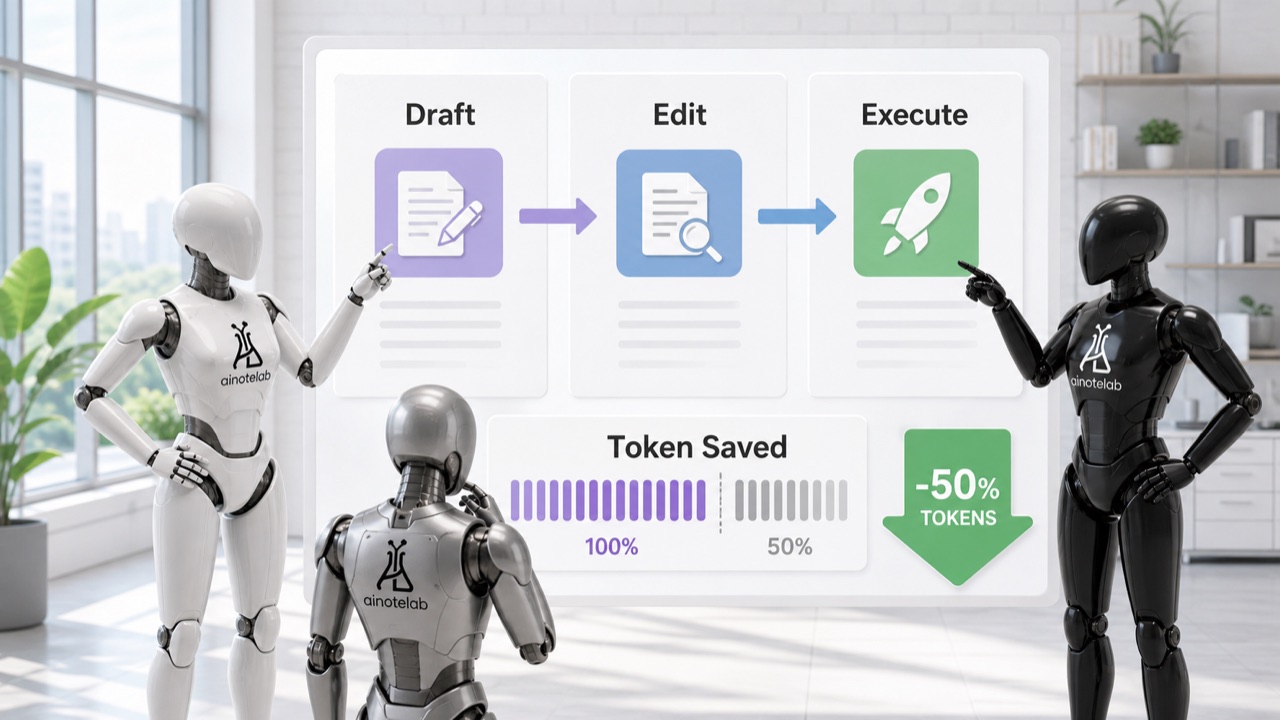
When I first started using AI tools for daily work, I put nearly everything into one conversation. I asked questions, drafted articles, fixed code, translated text, and reviewed final pages in the same thread. At first it felt convenient. Over time, the conversation became longer, the context became mixed, and token usage grew faster than expected.
The most effective fix was not a complicated prompt trick. I simply stopped treating one AI chat as one universal workspace. I split the work into three roles: a draft producer, a long-form editor, and a final execution/checking tool.
Why one AI conversation starts leaking tokens
Tokens are the small text units that an AI model reads and writes. The longer the input and conversation history become, the more tokens the model has to process. That does not only affect cost. It also affects how noisy the working context becomes.
The problem appears when unrelated tasks pile up in one place. In the morning, the conversation may contain blog outlines. In the afternoon, it may contain server settings. At night, it may contain English translation notes. The model then has to carry context that is no longer relevant to the current request.
In practice, token waste was not caused only by long answers. The bigger issue was dragging unrelated context forward just because I had kept working in the same conversation.
What changes when roles are separated
Separating AI tools by role keeps each working context cleaner. A coding/execution thread contains file paths, command results, and verification notes. A writing thread contains article structure and wording. A translation/editing thread focuses on tone, logic, and reader clarity.
This reduces the amount of information each AI has to reread. Prompts become shorter, follow-up questions become fewer, and answers become more stable. Switching tools also acts as a mental mode switch: it is easier to remember what kind of work is happening in that space.
Role 1: File changes, code, deployment, and final checks
The first AI role is the tool connected to the real working environment. It can read files, edit files, run commands, check public URLs, and verify the final result. I use this role as the execution owner, not as a brainstorming notebook.
- Code and file changes
- HTML, CSS, and script edits
- Build and deployment checks
- Public URL verification
- Final sensitive-information review
The key is to keep this role responsible for what actually changes. Drafts from other tools can be brought here, but the final execution tool should verify what was applied, what changed, and whether the public result works.
Role 2: Drafts, ideas, and repetitive structure
The second role is for moving from zero to one. It does not need full access to the working system. It only needs enough context to create a draft, suggest a structure, or organize rough thoughts.
This is useful for blog outlines, title candidates, recurring report formats, review summaries, and rough first drafts. The purpose is speed, not final accuracy. I avoid giving this role sensitive details unless they are genuinely necessary.
Used this way, the draft tool produces raw material. It does not decide what gets published. That separation alone prevents a lot of messy follow-up work.
Role 3: Long-form editor, translation, and logic review
The third role is the long-form editor. This role is not just for making sentences prettier. It reads the flow of a long article, checks whether the logic holds together, finds awkward transitions, and notices whether the tone is consistent from beginning to end.
This role is especially useful for long blog posts, site introduction pages, English versions, and documents where the reader experience matters. When translating Korean drafts into English, I use this role to rebuild sentence structure so the result reads naturally rather than like a direct translation.
I do not mix server settings or code tasks into this editing thread. The cleaner the editorial context remains, the better the output becomes.
Sensitive information should be generalized from the start
Using multiple AI tools means information may be shared across multiple contexts. That makes sensitive-information handling more important, not less. Public writing and external AI tools do not need real server addresses, IPs, account names, hostnames, API keys, customer data, or internal project names.
Most useful questions can be answered with the structure of the situation, not the exact private value.
| Real information type | Safer public wording |
|---|---|
| Real server address | Production server |
| Domain management details | Service domain |
| Internal hostname | Internal system |
| Specific account name | Administrator account |
| Customer data | Sample data |
| Internal tool name | Work AI tool |
The workflow I actually use
- Give the draft tool only the topic, reader, and rough direction.
- Create the first outline or draft outside the execution thread.
- Send the draft to the long-form editor for logic, tone, and translation review.
- Bring only the final selected text to the execution tool.
- Apply it to the actual file and verify the public page, links, and metadata.
The advantage is that each conversation stays short. The draft tool remembers drafting. The editor remembers flow and language. The execution tool remembers files, public URLs, and safety checks.
Practical rules for reducing token waste
- Do not paste the full background into every AI tool.
- Give each AI only the information needed for its role.
- Generalize sensitive information before asking.
- Separate drafting, editing, and final application.
- Keep final judgment and public verification in one place.
This reduces more than token usage. It also makes the work easier to reason about. When something goes wrong, it is clearer whether the issue came from the draft, the editorial review, or the final implementation.
Conclusion
Using several AI tools is not about making work more complicated. It is about keeping each tool focused. When ideation, language work, and execution are separated, each AI sees less irrelevant context and the user gives shorter, cleaner instructions.
Good AI workflow is not about holding onto the strongest model for everything. It is about assigning the right job to the right role, then checking the final result in one responsible place. That structure reduced token waste for me and made the final output more stable.